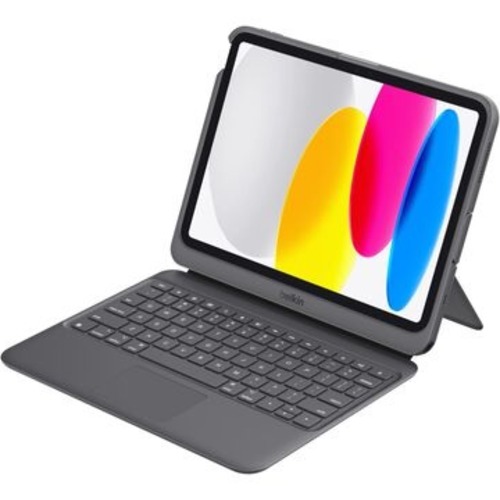
Your iPad's great for quick notes, but the moment it needs to do real work — back-to-back typing, a second screen in a meeting, a full day of admin — the glass-and-stick setup falls over. You need something that turns it into a proper workstation without the weight of a laptop.
The Belkin Connect TBA008BG plugs straight into your iPad's USB-C port. No batteries to swap, no Bluetooth pairing headaches. It handles pass-through charging, so your iPad stays topped up while you type. Push output to an external monitor through the USB-C DisplayPort Alt-Mode port and you've got a dual-screen setup from a tablet.
The keys are pry-resistant — built for the classroom or the open-plan office where things get bumped. IP51 water resistance means a spilled coffee isn't a write-off. The stand locks into five positions up to 80 degrees, so whether you're sketching, typing, or presenting, the angle works.
There's a multi-touch trackpad for pointer work, a 3.5mm jack for wired headsets, a built-in Apple Pencil slot, and an asset tag window if you're managing a fleet of devices. Military-grade drop protection rated to 2 metres keeps it alive in a school corridor or a busy office.
Add to cart. Ships from AU stock
| brand | Belkin |
| model | TBA008BG |
| colour | Black |
| compatibility | iPad 10.9" (10th Gen), iPad 11" (A16) |
| connection | USB-C with pass-through charging |
| display_output | USB-C DP Alt-Mode with audio |
| drop_protection | Military-grade, up to 2m |
| water_resistance | IP51 |
| stand_positions | 5 positions, up to 80° |
| dimensions | 256.8mm x 201mm x 26mm |
| weight | 608g |
| audio_input | 3.5mm jack |